
Guide to French Event Calendars for Education Readers
A practical comparison of French event calendars for students and educators, with tips on choosing and using agenda des événements en France effectively.

If you teach or study in or with France, understanding how to use event calendars matters. This guide compares major calendars and shows when each is useful for coursework, visas, exams, or campus activities. You’ll see concrete examples of how to integrate events into study planning and classroom projects.
We’ll cover basics first—what makes an event calendar useful in education—then move to practical choices and common mistakes. You’ll learn how to verify dates, filter results by subject, and keep your timetable clear alongside deadlines and exams.
By the end, you’ll have a clear approach for selecting calendars that support learning goals, student engagement, and timely information sharing with stakeholders.
- Education readers gain a practical framework for evaluating French event calendars.
- Focus on reliability, relevance, and workflow integration to support coursework.
- Use official sources first, then complementary calendars to fill gaps.
- Always verify critical dates with instructors or institutional notices.
Basics of French event calendars
Choosing a primary calendar
Start with a calendar that aligns with your needs—academic terms, public holidays, and school events. Look for filters by subject, location, and language. This helps students plan assignments around real-world events. agenda des événements en France is a key phrase to understand how local schedules shift academic plans.
Compare reliability and update frequency; a calendar that updates daily reduces missed deadlines. Consider accessibility: mobile-friendly views and export options help both teachers and learners.
Be aware of regional differences; some calendars focus on national events while others emphasize local campuses or towns.
- Filter by academic term
- Check update cadence
- Look for export options
- Validate regional coverage
How to evaluate calendars for coursework

Assess educational relevance
Determine whether the calendar lists exams, seminars, and deadlines that influence coursework. A calendar with academic events helps students map study blocks and revision plans. It also supports group projects by aligning availability. Loi Droit France is referenced to ensure compliance with governance aspects when planning activities.
- Course-based searches streamline planning.
- Region-aware filters help local students.
- Export to calendar to avoid manual entry.
Evaluate language and accessibility; clear descriptions and translations help a wider student audience. A well-organized calendar reduces the time spent searching for dates.
Test searchability: can you find related events by topic or course code quickly?
- Look for exam windows
- Search by course or topic
- Check language options
- Note update frequency
Where to find reliable calendars in France
Official university calendars
University sites often host the most reliable calendars for students. They synchronise with timetables, room bookings, and examination dates. This consistency makes them a good first stop for planning. fiche entreprise en France provides a business-facing calendar perspective that can align with internships and projects.
- Prefer calendars with official domain and university branding.
- Verify a few dates against printed timetables.
- Note how delays are communicated.
Check for feeds or API access if you need automated updates in a learning management system. Cross-reference with departmental notices for exceptions or changes.
Be mindful that some calendars focus on the academic year rather than all events; plan around both to avoid surprises.
- Cross-check with department notices
- Look for feed or API access
- Plan around academic year vs. all events
- Preview cancellation policies
| Calendar Type | Reliability | Educational Fit |
|---|---|---|
| Official university calendars | High | Strong for coursework and exams |
| National public event calendars | Medium | Good for cultural context and timelines |
| Regional campus calendars | Medium | Helpful for local activities and deadlines |
Keep a backup plan in case an event date shifts due to rescheduling.
Common pitfalls and how to avoid them

Deadlines vs. reminders
Some calendars show reminders rather than official deadlines. Rely on the final dates published by instructors or exam boards to avoid penalty risk. Always confirm the official deadline when a calendar uses a flexible time window. annonces d’occasion en France offers practical timing cues for student exchanges and campus life, which can affect extracurricular planning.
Synchronise reminders with personal planners to maintain accountability. If a reminder is lost, you may miss critical deadlines.
Keep a backup plan in case an event date shifts due to rescheduling.
- Differentiate reminders from deadlines
- Cross-check official dates
- Maintain personal backups
- Monitor rescheduling policies
Advanced filters for diverse needs
Filtering by event type
Use filters to narrow events by category such as conferences, seminars, or public lectures. This keeps your search focused on topics that align with your coursework or research projects. Apply multiple filters to zero in on timeframes, locations, and formats. avis d’obsèques en France
For example, a history class looking for archival seminars can combine date range, location, and topic filters to surface relevant events only. This saves time and reduces noise from unrelated listings. Always recheck results after changing filters to avoid missing important items.
Keep a running list of the most useful filters for your field so you can quickly apply them in future searches. Over time, your preferences will become a reliable shorthand for what matters in your studies. If a filter yields too few results, slightly broaden the criteria.
- Create a bookmark set for top event types
- Save favorite locations for quick access
- Set a default date range for school terms
- Enable notifications for new events in your field
Geographic and language options
Many calendars offer region-specific views and language toggles. Choose the locale that matches your campus or the country you are studying in to avoid misinterpreting schedules. When studying French topics, prefer listings in or about France to ensure accuracy and credibility.
If you are coordinating with an international cohort, check whether the calendar supports bilingual entries or translations. This helps students compare sessions without missing nuanced details. Use map views to confirm travel requirements and accessibility.
Keep a map of preferred cities and regions handy so you can filter by proximity. This makes last-minute additions feasible and helps plan field trips or campus collaborations.
- Prioritize entries in your primary study region
- Use bilingual entries when available
- Note accessibility or travel notes in the event details
- Cross-check language of abstracts or summaries
Case studies of calendar use

Course-integrated planning
An instructor uses a campus-wide calendar to align guest lectures with weekly topics. Students mark deadlines for related assignments and then build a reading list around each event. The result is a structured sequence that reinforces learning outcomes.
- Align events with syllabus goals
- Use calendar milestones to pace work
- Share calendars with students for transparency
In seminars, the calendar helps track peer presentations and ensure each topic is covered before the term ends. This visibility supports timely preparation and reduces last-minute scrambling for sources. Students learn to pace their work with real-world events.
For departments, a shared calendar becomes a feedback loop, showing what was covered and what’s missing. It helps redesign syllabi based on available sessions and student interests. When used consistently, calendars become a practical planning tool rather than a passive listing.
Adapting calendars for independent study
Independent learners can harvest calendars to supplement coursework with optional lectures and public talks. They select sessions that deepen understanding of core topics and note down actionable insights for essays. This approach preserves time while expanding exposure to current research.
When deadlines loom, students pivot to online webinars or recorded events that fit the schedule. The calendar serves as a central hub to compare options and avoid clashes with library work. It also helps track which topics have been explored outside class.
Keep a personal log of attended events and linked readings. This habit builds a portfolio of experiences that can enhance applications for internships or grad programs. A well-curated calendar is a personal study plan.
Integrating calendars with classroom tools
Syncing with LMS and planners
Export event lists to the learning management system to keep course pages up-to-date. When students see upcoming talks alongside assignments, they plan ahead rather than react to last-minute changes. Consistency reduces confusion and improves turnout.
Use calendar feeds to populate personal planners or digital calendars. This minimizes manual updates and ensures students have a single source of truth for schedules, due dates, and room assignments.
Coordinate with IT staff to maintain feed reliability and ensure time zones are correct for cross-campus events. Reliability matters when sessions cross regional schedules or when recordings become the primary resource.
- Enable calendar feeds in LMS
- Promote single source of truth for dates
- Test time zones before big events
- Archive past events for reference
Using reminders and notes
Set reminder intervals that match the pace of a course module. A reminder a day before helps students prepare and stretch their readings. Smaller nudges during a term keep engagement steady.
Attach notes to events with key questions or required readings. This turns a calendar entry into a learning prompt rather than a bare date.
Encourage students to summarize what they learned after each event and link it to a course objective. This practice reinforces retention and assessment alignment.
- Schedule pre-event notes
- Link readings to event content
- Collect brief post-event reflections
- Adjust reminder frequency based on workload
Maintenance and updates over time
Keeping calendars current
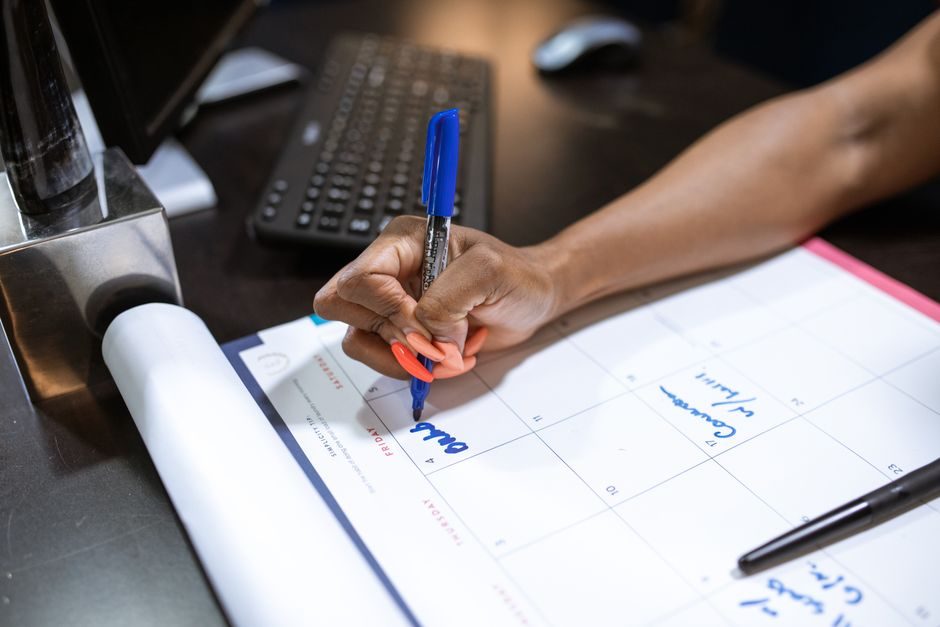
Regular checks prevent stale listings from cluttering study plans. Set a weekly routine to review new events, remove outdated entries, and verify locations. A clean calendar reduces confusion during busy weeks.
- ☐ Review weekly for new events
- ☐ Archive outdated listings
- ☐ Update locations and times
- ☐ Notify classmates of major changes
When a source changes format or closes, delete or archive its entries to avoid confusion. Note why a change happened so peers understand the update.
Encourage students to report broken links or missing details. A shared maintenance workflow keeps calendars accurate and trustworthy.
- Schedule weekly reviews
- Archive irrelevant items
- Document changes for peers
- Promote user reporting
Frequently asked questions
How do I choose the right calendars for coursework?Start with calendars that align to your field of study and campus events. Look for clear event categories, reliable dates, and detailed location notes. Favor calendars that offer filter options, download capabilities, and visible speaker or host information to judge credibility.
What if events clash with classes?Prioritize events that directly support your learning goals. Use filters to avoid overlaps, request recordings if available, and coordinate with instructors to substitute readings when necessary. A well-managed calendar helps you balance commitments without missing core material.
Are there safety considerations for on-site events?Check venue details, accessibility, and entry requirements before attending. If you’re traveling, confirm transit options and time buffers. For online events, verify access links, host identity, and recording availability in advance.
How can I keep knowledge fresh after attending an event?Write a short reflection tying the session to a course objective. Add one or two sources to your notes and plan a follow-up task, such as a short presentation or blog post, to consolidate what you learned.
Practical calendar maintenance for education readers
A well-tuned calendar helps you anticipate, prepare, and participate in events that enrich your studies. It turns sporadic lectures into a connected learning path with clear objectives and deadlines.
Take time to set up filters, establish a weekly review, and create a simple notes system that ties events to coursework. This creates a predictable rhythm for busy terms and reduces last-minute stress.

Add Education News as a preferred source on Google


