
Choosing Newport Wire Website: A Clear Educational Guide
A practical buyer's guide for educators evaluating Newport Wire Website and related resources; clear comparisons, pros, cons, and usage tips for learning.

Educators weigh online resources carefully to support learning goals. This guide compares Newport Wire Website with practical, education-focused criteria, helping teachers decide what to use in class or for assignments. You’ll get concrete steps to assess usefulness, reliability, and alignment with curricula.
You’ll learn how to verify content quality, navigate site features that aid lesson planning, and determine whether the resource fits your students’ level. The goal is a straightforward framework you can apply to any educational site, not just this one.
Use this guide to translate website features into classroom value: where to find reliable information, how to cite sources, and how to adapt content for activities, discussions, or research projects.
- Assess credibility with author, date, and updates; test alignment with your curriculum.
- Plan lesson-integrated activities and provide clear expectations for students.
- Compare features for accessibility and across devices; pilot before full adoption.
- Watch for outdated content, single-source risk, and promotional bias; mitigate with standards checks.
Foundations for judging credibility
How to assess source quality
Begin by checking authorship and publication dates. Look for clear author credentials and a consistent update schedule to ensure material remains current. Compare the information with established textbooks or peer-reviewed resources when possible. Newport Wire website offers a structured hub for study references you can review alongside syllabus plans.
- Identify author and date for each major page.
- Cross-check key facts with reputable references.
- Note any updates or revisions over time.
- Look for citations and a dedicated corrections policy.
Evaluate the presentation: well-structured pages, citations, and consistent terminology usually indicate care and reliability. If sources are missing or vague, treat the material as supplementary rather than foundational.
Consider how the site handles corrections and reader feedback. Transparent error reporting and user guidance signal attention to accuracy and learning outcomes.
How teaching value shows up
Assess whether content aligns with your curriculum standards and learning objectives. Material should offer clear takeaways, examples, and activities suitable for your students' level.
Check if the site supports different learning modalities: text explanations, visuals, and practice tasks. Flexibility helps accommodate diverse classrooms and assignments.
Test whether the site provides assessment-friendly features like quizzes, rubrics, or printable worksheets that integrate with lesson plans.
- Curriculum alignment indicators
- Multiple formats for engagement
- Assessment-ready resources
Practical uses for classrooms
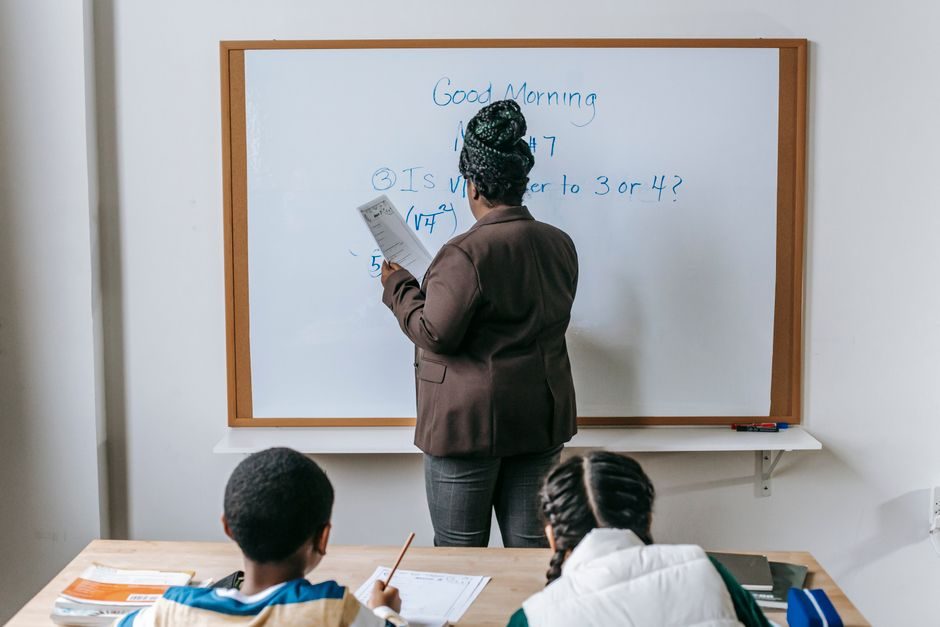
How to integrate into lessons
Start with a single topic and map it to a lesson objective. Use short readings followed by a guided question set to spark discussion and verify understanding. A useful resource on this topic: publish local events in Newport.
Assign short activities that require students to cite sources and summarize key ideas. This builds information literacy alongside content knowledge.
Supplement lectures with visuals from the site to reinforce concepts and provide a reference for students outside class.
- Plan a 20-minute activity
- Require source citations
- Provide a printable handout
How to assign effectively
Set clear expectations for what students should extract from the material. Provide a rubric or checklist to guide note-taking and citation.
Balance optional exploration with required tasks to keep students on track. Offer a choice of activity formats to accommodate different strengths.
Review student work quickly and give targeted feedback that reinforces evidence-based reasoning and source use.
- Clear objectives
- Choice of formats
- Targeted feedback
Options and accessibility
How to compare features
List core features like search quality, topic breadth, and export options. Compare how each feature supports planning, research, and collaboration in class. A business directory in Newport can support class projects that explore local industry and civic life.
- ☐ Core topics available and organized logically.
- ☐ Exportable formats for student use.
- ☐ Accessible design for all students.
- ☐ Fast search and reliable navigation.
Consider accessibility: text readability, alt text for images, and compatibility with screen readers matter for inclusive education.
Test performance on different devices to ensure students can access content from school or home without friction.
- Feature set comparison
- Accessibility considerations
- Device compatibility
| Feature | Site A | Site B |
|---|---|---|
| Curriculum alignment | Moderate | Strong |
| Accessibility options | Basic | Good |
| Export and reuse | Limited | Plentiful |
How to pick for your needs
Map your course units to the strongest topics on the site. Prioritize resources that directly support your learning goals and assessment plans.
Evaluate cost, licensing, and classroom rights. Ensure usage rules fit your school policy and allow for student access.
Plan a pilot with a small group to gather feedback before wider use. Look for improvements in student engagement and accuracy of work produced.
- Unit-to-resource mapping
- Rights and licensing
- Pilot testing
Be mindful of over-commercialized pages that push particular products without critical evaluation or independent corroboration.
Pitfalls and warnings

Hidden issues to watch for
Be wary of outdated material that hasn’t been revised. Always check the latest publication date and cross-reference with current curricula. When you need to buy and sell in Newport, consider how cataloged listings fit into hands-on learning exercises.
- No recent date or revision history.
- Content conflicts with other trusted sources.
- Heavy promotional language or links to products.
Avoid over-relying on a single source for complex topics. Use multiple references to build a well-rounded understanding for students.
Be mindful of over-commercialized pages that push particular products without critical evaluation or independent corroboration.
- Outdated content
- Single-source risk
- Commercial bias
How to mitigate risk
Regularly schedule a quick check of key topics against up-to-date education standards. This keeps your material relevant and accurate.
Create a short policy for students about evaluating online information, including what to do when mismatches appear.
Document your sources and maintain a simple bibliography to support transparency and accountability.
- Standards check
- Information evaluation policy
- Documentation practice
Advanced evaluation methods
Quantitative vs qualitative signals
Start with observable behaviors: note how users search, read, and apply content in assignments. Quantitative signals show traffic or time on task, while qualitative signals reveal understanding and engagement. Compare these to classroom benchmarks to gauge relevance for lessons. place a death notice in Newport
Use practical tasks to test credibility: assign students a short research task using Newport Wire materials and evaluate the sources for accuracy and bias. Document how easily students can trace references and verify facts. This concrete test helps separate noise from reliable content.
Plan a short pilot with a small class before full adoption. Gather student and teacher feedback on usefulness, clarity, and applicability. Adjust resources based on concrete outcomes like improved assignment scores or quicker fact-checking routines.
- Create a simple rubric for source evaluation
- Track how often students cite credible references
- Measure impact on assignment quality
- Solicit quick feedback after each unit
Student-facing guidance

Using resources in study plans
Show students how to integrate Newport Wire into study plans with specific tasks. For example, assign a weekly topic and have learners extract three factual points and two questions for class discussion. This builds practice in source evaluation alongside content mastery.
Provide a guided worksheet that prompts note-taking, citation, and cross-checking against classroom-approved databases. The worksheet should align with unit objectives and offer space for reflections on what was learned. Regular practice strengthens independent research habits.
Encourage peer review as part of the routine: students critique each other’s summaries and source notes. This builds metacognitive skills and helps learners spot gaps in reasoning. When students verbalize their thought process, understanding deepens.
- Develop a 15-minute daily research routine
- Include a citation checklist
- Offer a peer-review protocol
- Track progress with a simple rubric
Teacher collaboration
Co-planning with resources
Teachers should plan units together, mapping Newport Wire materials to learning objectives. Joint planning ensures consistency across classes and reduces redundant work. It also helps identify how to scaffold skills from basic to advanced.
- Coordinate unit goals with colleagues
- Agree on a core sequence of activities
Share ready-to-use activities that align with assessment goals. Teachers can customize prompts, worksheets, and slides to fit different levels. This collaborative approach saves time and increases classroom impact.
Create a common feedback loop: debrief after each unit with notes on what worked and what didn’t. Use that input to refine future lessons and to document impact for curriculum reviewers.
- Set weekly planning checks
- Share annotated resources
- Use common grading criteria
- Maintain a learning journal
Future-proofing resources

Sustainability and adaptability
Choose Newport Wire materials that can be updated or adapted as courses evolve. Favor content with clear versioning, publish dates, and notes about revisions. This makes it easier to keep curricula current without overhauling plans.
Evaluate the platform’s export options and compatibility with classroom tools. Being able to download slides, worksheets, or datasets allows teachers to remix content for different class formats. This practical flexibility supports long-term use.
Plan for accessibility and inclusivity: check that resources work with assistive technologies and offer alternative formats. Accessibility matters for equity and for meeting diverse learning needs over multiple terms.
- Look for version history
- Check export formats
- Prioritize accessible resources
- Prepare a revision checklist
Frequently asked questions
What is Newport Wire and what does it offer for education?Newport Wire provides educational materials and resources intended to support classroom learning. It helps teachers plan lessons, locate credible materials, and integrate content into assignments. Users should assess relevance to their curriculum and student needs before adopting any resource.
How can I measure its impact in class?Start with a small, well-defined unit and compare student work before and after using the resources. Look for improvements in citation quality, source evaluation, and alignment with the stated learning goals. Collect brief feedback from students and colleagues.
What accessibility considerations should I check?Verify that materials work with assistive technologies and offer alternative formats where possible. Check captions, transcripts, and adjustable text sizes. Prioritize resources that support diverse learners.
What should I do if a resource needs updating?Document the needed changes, notify the department, and plan a revision window. Use an update log to track versions and ensure teachers know what was updated and why.
Final thoughts and next steps
A measured, goal-driven approach helps Newport Wire become a reliable classroom companion. Keep the focus on credibility, classroom relevance, and a simple, repeatable workflow so teachers and students can use the resources without disruption. The result is clearer learning paths and more confident research habits.
Begin with a single unit to test fit and build a small collaborative plan with fellow teachers. Use feedback to refine prompts, materials, and assessment rubrics. When you have a smooth process, expand thoughtfully across courses and terms.

Add Education News as a preferred source on Google


